
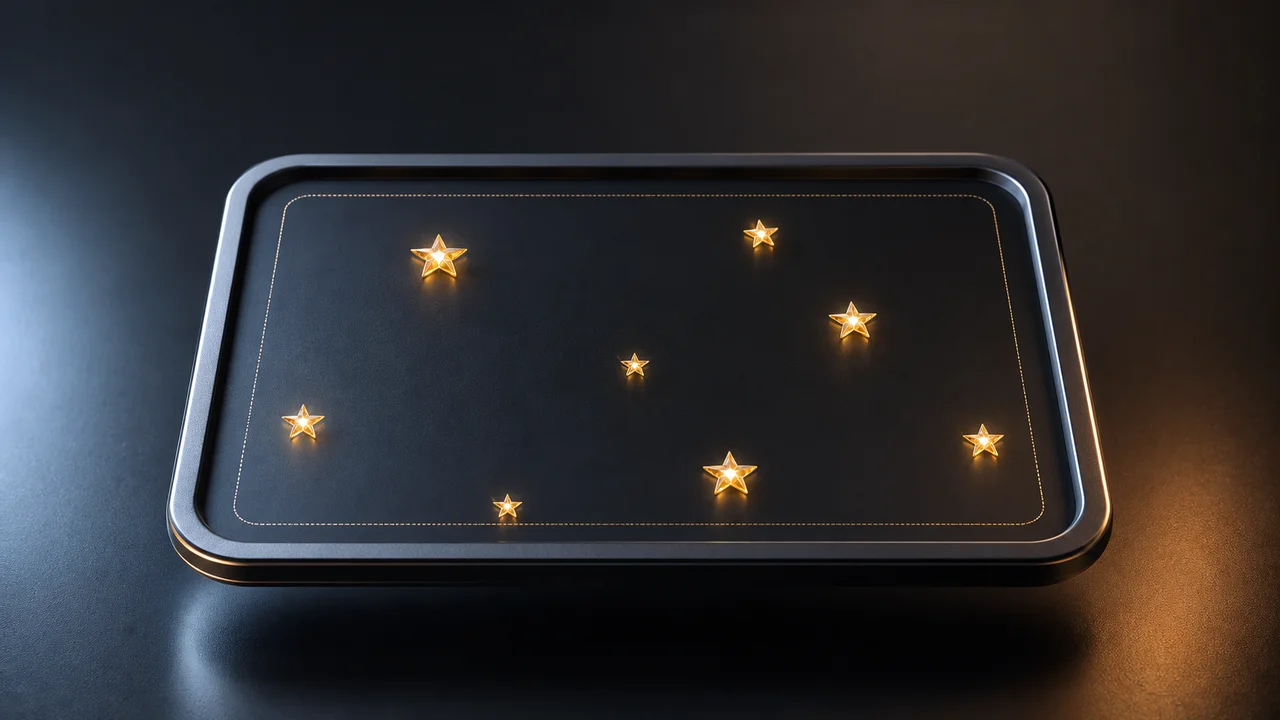
Object position starts with one question: which point on the object are you placing?
If you place a star with top and left, CSS places the star’s top-left corner. If you want the whole star to stay inside a frame, place its center inside a smaller inner frame.
This post is about positioning objects in a layout. CSS also has an object-position property for images and videos, but the idea here is lower level: choose an anchor point, then choose the area where that anchor point is allowed to move.
The Result
Click the button a few times. Each star gets a random position, but it never spills outside the outer frame.
Object Position
<div class="objectPositionDemo">
  <div class="starFrame" role="img" aria-label="A frame that fills with decorative stars">
    <div class="innerFrame" data-star-stage aria-hidden="true"></div>
  </div>

  <button class="addStarButton" type="button" data-add-star>Add a star</button>
</div>
.objectPositionDemo {
display: grid;
gap: 1rem;
justify-items: center;
width: min(100%, 34rem);
}
.starFrame {
--star-size: 2rem;
position: relative;
width: min(100%, 30rem);
aspect-ratio: 16 / 9;
overflow: hidden;
border: 3px solid hsl(230deg 25% 18%);
border-radius: 1.25rem;
background:
radial-gradient(circle at 20% 20%, hsl(230deg 80% 35% / 0.45), transparent 32%),
radial-gradient(circle at 80% 10%, hsl(280deg 70% 38% / 0.35), transparent 30%),
linear-gradient(135deg, hsl(230deg 50% 12%), hsl(250deg 52% 18%));
box-shadow: 0 1rem 2.5rem hsl(230deg 40% 12% / 0.22);
}
.innerFrame {
position: absolute;
inset: calc(var(--star-size) / 2);
border: 1px dashed hsl(48deg 100% 80% / 0.5);
border-radius: 0.8rem;
}
.star {
position: absolute;
top: var(--top);
left: var(--left);
display: grid;
place-items: center;
width: var(--star-size);
height: var(--star-size);
color: hsl(48deg 100% 64%);
font-size: var(--star-size);
line-height: 1;
pointer-events: none;
text-shadow: 0 0 0.8rem hsl(48deg 100% 70% / 0.8);
transform: translate(-50%, -50%) scale(0.6);
animation: star-pop 180ms ease-out forwards;
}
.addStarButton {
border: 0;
border-radius: 999px;
padding: 0.75rem 1.1rem;
background: hsl(48deg 100% 58%);
color: hsl(230deg 40% 14%);
cursor: pointer;
font-weight: 800;
box-shadow: 0 0.55rem 1.2rem hsl(48deg 100% 40% / 0.25);
}
.addStarButton:focus-visible {
outline: 3px solid hsl(48deg 100% 78% / 0.8);
outline-offset: 4px;
}
@keyframes star-pop {
to {
transform: translate(-50%, -50%) scale(1);
}
}const stage = document.querySelector("[data-star-stage]");
const button = document.querySelector("[data-add-star]");
function randomPercent() {
return Math.round(Math.random() * 10000) / 100;
}
function addStar() {
const star = document.createElement("span");
star.className = "star";
star.style.setProperty("--top", randomPercent() + "%");
star.style.setProperty("--left", randomPercent() + "%");
star.innerHTML = "★";
stage.appendChild(star);
}
button.addEventListener("click", addStar);The Problem
top and left do not place the whole object. They place one point on the object.
By default, that point is the object’s top-left corner:
.star {
  position: absolute;
  top: 100%;
  left: 100%;
}
At left: 100%, the top-left corner reaches the right edge. The rest of the star keeps going, so it spills outside the frame.
Move The Anchor
The first fix is to move the object’s anchor from its top-left corner to its center:
.star {
  transform: translate(-50%, -50%);
}
The useful detail is that percentages in transform are based on the object itself. translate(-50%, -50%) moves the star left by half of its own width and up by half of its own height.
Now top and left describe the star’s center point.
Add The Inner Frame
Center positioning is balanced, but it still allows half the star to overflow when the center touches an edge.
That is why the demo has two frames:
<div class="starFrame">
  <div class="innerFrame"></div>
</div>
The inner frame is inset by half the star size:
.starFrame {
  --star-size: 2rem;
}

.innerFrame {
  position: absolute;
  inset: calc(var(--star-size) / 2);
}
The star is still allowed to sit on the inner frame’s edges. Since the inner frame is pulled away from the outer frame by half a star, the full star remains visible.
The Click Handler
The JavaScript only creates a star and gives it two random percentages:
function addStar() {
  const star = document.createElement("span");

  star.className = "star";
  star.style.setProperty("--top", randomPercent() + "%");
  star.style.setProperty("--left", randomPercent() + "%");
  star.innerHTML = "★";

  stage.appendChild(star);
}
The containment does not live in JavaScript. JavaScript picks a position. CSS decides what that position means.